
Prepare a rondo
Place the players, mark the working area with cones or flat markers and use arrows to show support runs, movement or the circulation pattern you want to coach. The diagram helps explain the organisation before the drill starts.
Build a formation, draw a drill or explain a match situation directly on the pitch, with players, a coach and the equipment you use in real training. Add arrows, zones and text, animate the movements and download the result as an image or an MP4 video. Free forever, with no credit card required.
Free forever, no credit card.
You do not need to start a presentation from scratch just to show a line-up. Open the pitch, drag players into position and build the system you want to use: a 4-3-3, 4-4-2, 3-5-2 or whatever shape you need to explain a specific situation. You can also drop in one of the catalogue formations with a single click and adjust it afterwards.
Work on a full pitch, half pitch, the penalty area or a blank background. Move each element until the structure reflects your idea, then add runs, zones or a written instruction when the formation needs more context.
The same tool works as a soccer formation creator and as a tactical workspace for more detailed explanations.
Build any formation and download it as an image or a video.
A drill is not always clear with only players and a ball. The NeoTactIQ Tactical Board therefore includes players, a coach and 17 pieces of training equipment so you can represent an exercise using the same visual language you will use when setting it up on the pitch.
If you are preparing a circuit, a conditioned rondo or a drill with mini goals, the equipment that shapes the exercise can appear in the diagram too. When you save the diagram as a drill, its equipment list fills itself in from what you placed on the pitch.
Draw with the real equipment from training: cones, poles, goals, ladders, hoops…
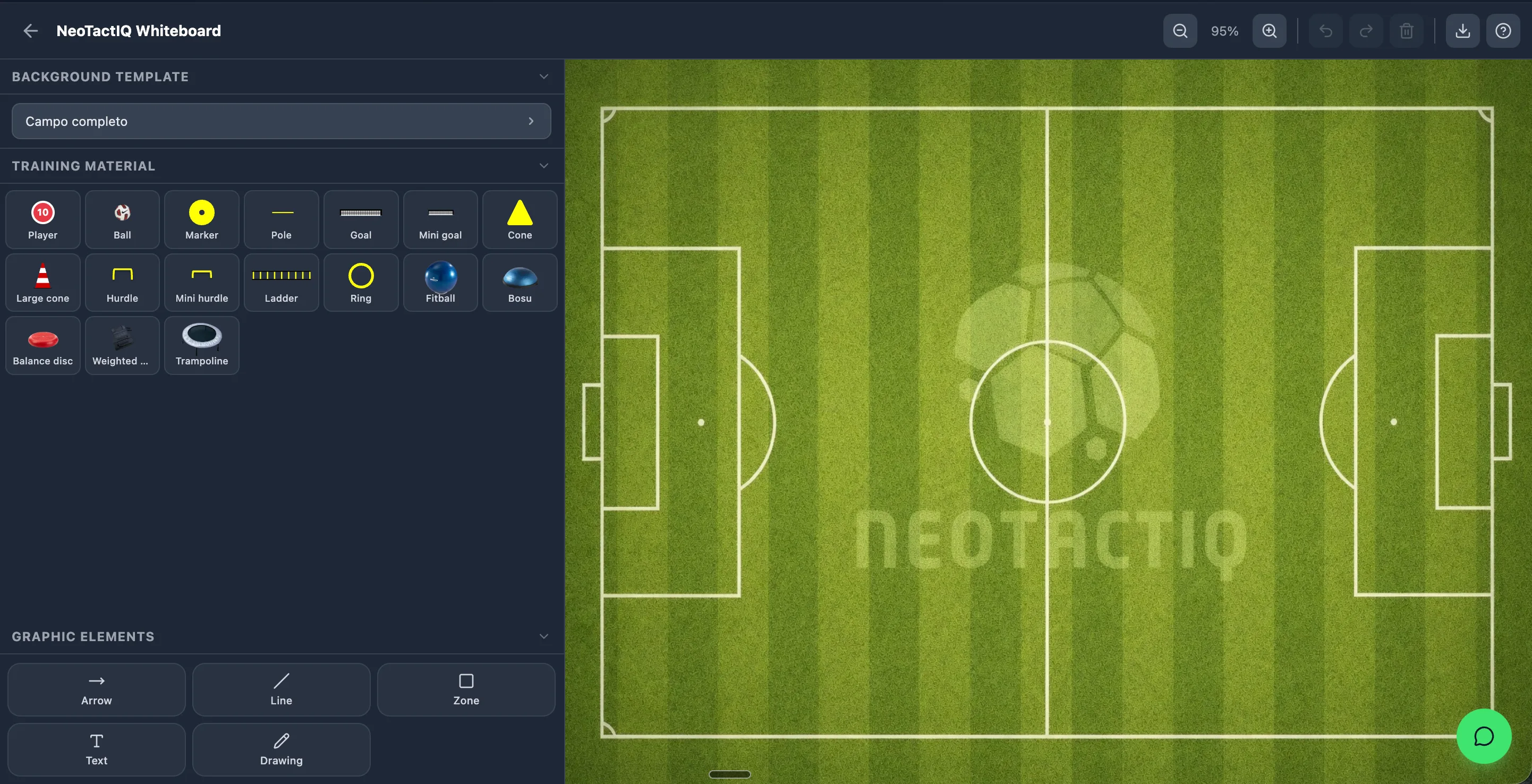
The starting positions are only part of a tactical explanation. Every line has its own meaning: the arrow shows a player run, the dotted line a pass and the wavy line a dribble. Add straight lines to connect players and shaded zones to highlight the space you want to occupy, protect or attack.
Add text when a coaching instruction needs to stay visible and use freehand drawing when the explanation does not fit a predefined element.
The goal is simple: the diagram should explain the situation before you place the first cone on the pitch.
You do not have to draw every space from scratch. Structures gives you vertical and horizontal corridors, possession and small-sided game areas in three sizes — with goals at the ends or on the flanks, mini goals or portable goals — catalogue formations and player groups. You see a preview on the pitch before placing them.
To keep the diagram tidy you have magnetic guides, align and distribute, grouping so several elements move as one, mirror to flip a situation, duplicate, keyboard shortcuts, undo and redo, and zoom. The board also works on touch screens.
A static situation is not always enough. Create chained animations: in each one you move players, the ball or the equipment along straight or curved paths, with the speed you choose for each element. Then play the whole sequence back to see how the action unfolds.
When it is ready, download it as an image (PNG) or as an MP4 video of the animated scenes, in 1080p and generated on your own device. Send it to your staff or your players before training without rebuilding anything in PowerPoint.
If you are explaining it in the dressing room, presentation mode opens the saved drill full screen, designed for a TV or a projector.
Animate the play, present it full screen and download it as a video.
When you save a diagram you choose what it is: a training drill or a set play (set pieces and rehearsed patterns). It stops being a loose file and goes into your library with its context.
A drill is classified by game phase, tactical, physical and technical objectives, pitch zone, drill type, timings and scoring rules. A set play is saved with its type — corner, free kick, throw-in, build-up, high press… — and its animation.
On the Free plan you can save up to 3 drills and 3 set plays, each with up to 5 animation scenes. Paid plans remove that limit, let you build sessions from your drills and share content with your club and the community.
Save your best diagrams as drills or set plays and reuse them whenever you want.
Place the players, mark the working area with cones or flat markers and use arrows to show support runs, movement or the circulation pattern you want to coach. The diagram helps explain the organisation before the drill starts.
Represent a corner, wide free kick or throw-in: place attackers and defenders, mark zones, animate the runs and save it as a set play to rehearse it. With Coach Pro you can also add it to your match plan.
Build the team shape, highlight a specific area of the pitch and use text or arrows to explain the behaviour you want to correct before training or a match. Presentation mode puts it on the big screen.
Download the drill video and share it with your players, or show it on the dressing-room TV. They reach the pitch knowing what they are about to do and less time goes on explanations.
Yes. The board is free forever, with no credit card required: draw as much as you like, animate up to 5 scenes per drill or set play and download images or videos with a small NeoTactIQ mark. You can also save up to 3 drills and 3 set plays. It is not a time-limited trial.
No. NeoTactIQ is a web platform and the tactical board runs in the browser on a computer, tablet or phone, including touch screens. Create your account and start drawing without installing anything.
Yes. Place players on the pitch or start from a catalogue formation, move them into the positions you need and add arrows, zones, lines or text. Then download the result as an image or a video.
Yes. You create chained animations with straight or curved paths and per-element speed, then download them as a 1080p MP4 video. The video is generated on your device and works in Chrome, Edge, Safari 16.4 or later and Firefox 130 or later.
The board is where you draw and animate. A drill — or a set play — is that diagram saved in your library with its classification (phase, objectives, zone, type, timings and equipment) so you can find and reuse it. The Free plan saves up to 3 drills and 3 set plays; paid plans remove that limit and add sessions and sharing.
You do not need to adapt a generic tool to football just to represent a formation or training drill. Open the board, place the equipment you use in real training, animate the action and take it away as an image or a video.
Start for free. When you want an unlimited library of drills, set plays and sessions, the next step is already inside NeoTactIQ.
Free forever, no credit card.