
“I do not have time to learn another app.”
Start with the free tactical board. It is a specific tool close to a coach's daily work and does not require you to change your whole workflow on day one.
Spend less effort organising the work and more time coaching and making decisions. NeoTactIQ connects your squad, planning, tactical library, matches and statistics so you do not have to rebuild the week’s context across spreadsheets, chats, PowerPoint files and Drive folders.
No credit card · Free tactical board forever
There is no need to exaggerate the problem. Many of the tools you already use are good at one specific job. The friction appears because they work separately.
The squad is in a spreadsheet. Drills are split between PowerPoint and Drive. The week is organised somewhere else. Match selection uses information that already exists in another tool. And the game ends with notes that still need to be turned into data if you want to review it properly.
When coaching has to fit around the rest of your professional and personal life, every extra tool adds work that has nothing to do with coaching.
NeoTactIQ takes a different approach: record something once, then keep using that information in what comes next.
The weekend game is already recorded. What was logged live leaves a draft match report with the statistics already calculated: shots and shots on target, duels, fouls, corners, saves, and goals by time band and by origin.
You add what only the coaching staff can provide: a 1-to-5 rating for each phase of play, key moments, a rating for each player and the conclusions. The 1 to 3 objectives you set when closing the report are suggested in the next microcycle of your methodology, so the analysis shapes what you train.
Match reports are included in Coach Pro and Club.
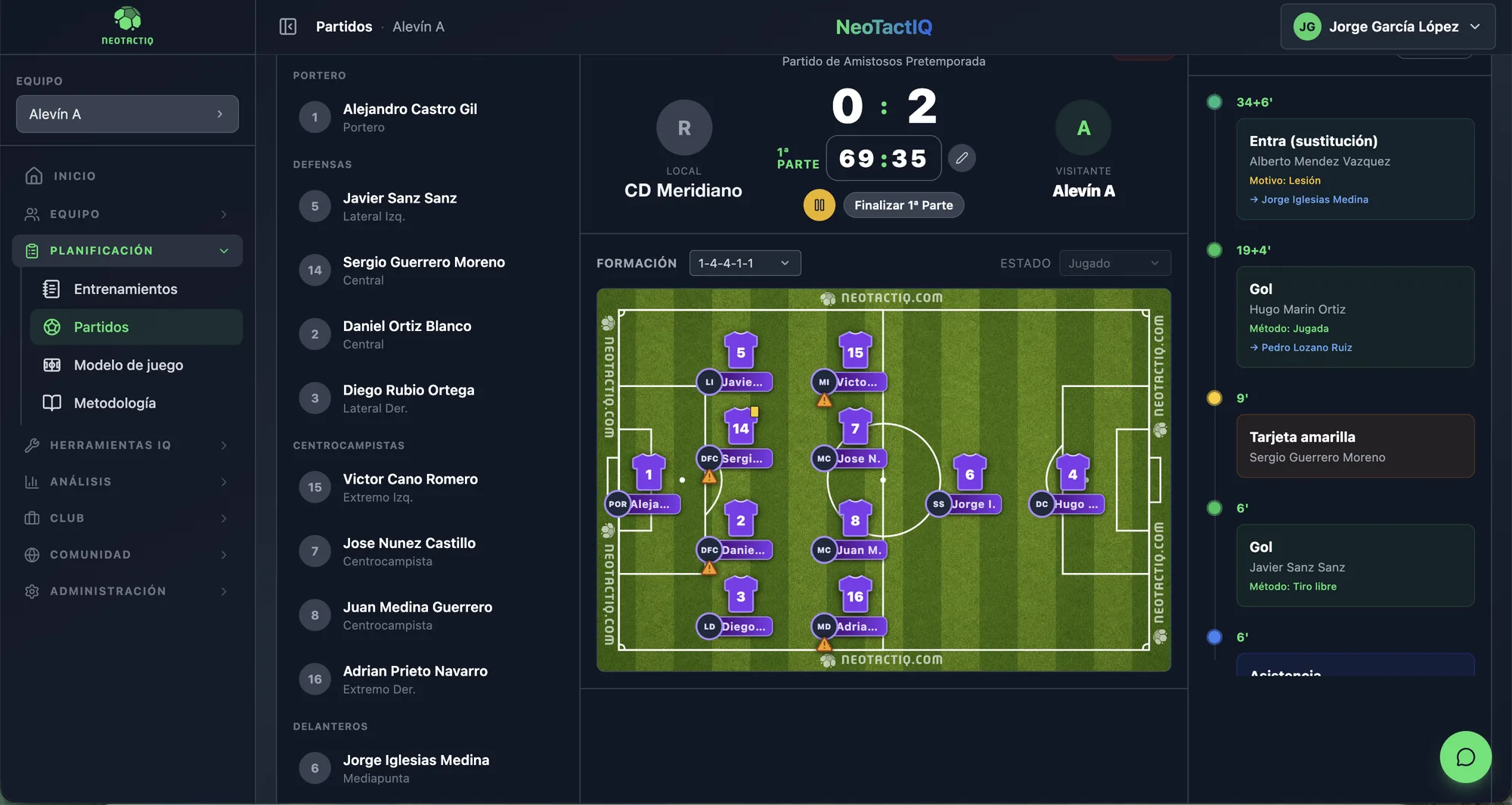
Open your drill library and pick up an exercise you designed earlier, or one created by another coach at the club. Filter by phase, drill type, objective or target group, and duplicate it when you need a variation.
With those drills you build the session in parts — warm-up, main part and cool-down — with the length of each block, its objectives and the equipment added up from every drill. Link it to the day’s training and take it to the pitch as a PDF if you need to.
At training you take attendance player by player with codes: A (attended), FJ (excused absence), FN (unexcused absence), L (injury), E (illness) and SC (moved up an age group). That record is kept for the individual report and for applying team rules with data.
Every training session carries its target intensity and duration. In Statistics you can review average intensity, average volume per session and weekly load, along with how the work is split by zone, phase and objective.
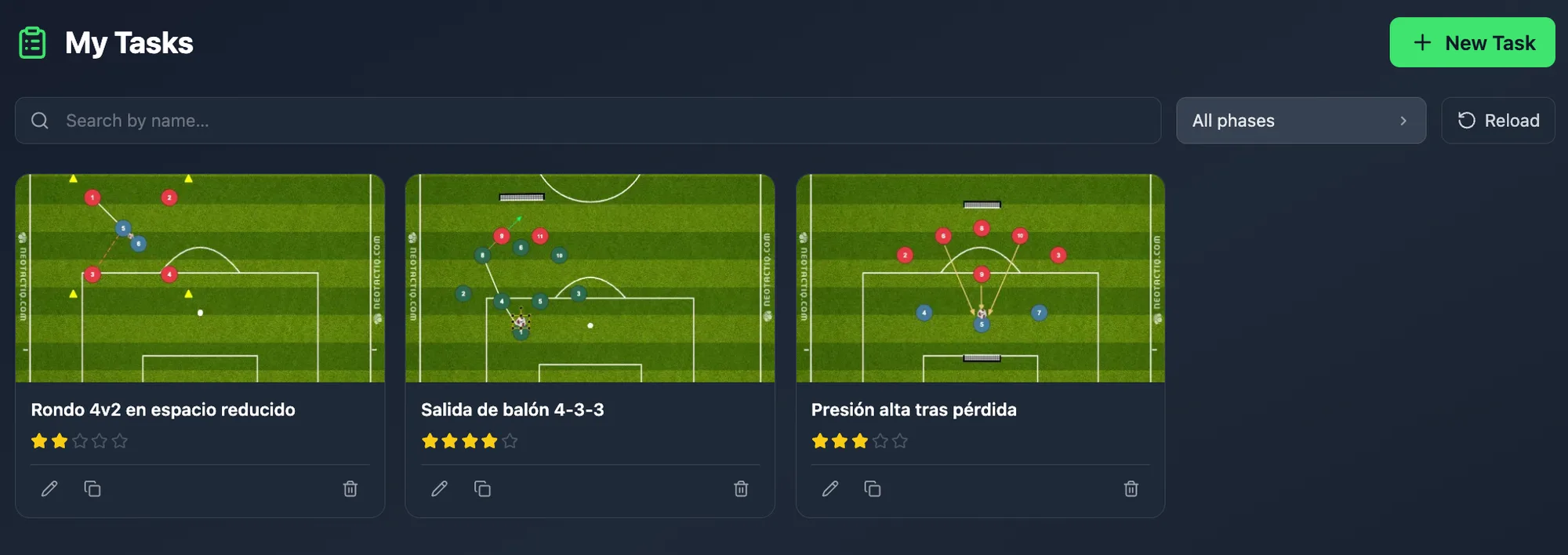
The season is organised into macrocycles, mesocycles and microcycles, and each session is assigned to its cycle by date. NeoTactIQ shows how work is distributed across phases and pitch zones and recommends what to reinforce when a zone falls short.
The platform does not plan for you. It helps you compare what you intended to work on with what you have actually recorded, and decide whether the rest of the microcycle needs to change.
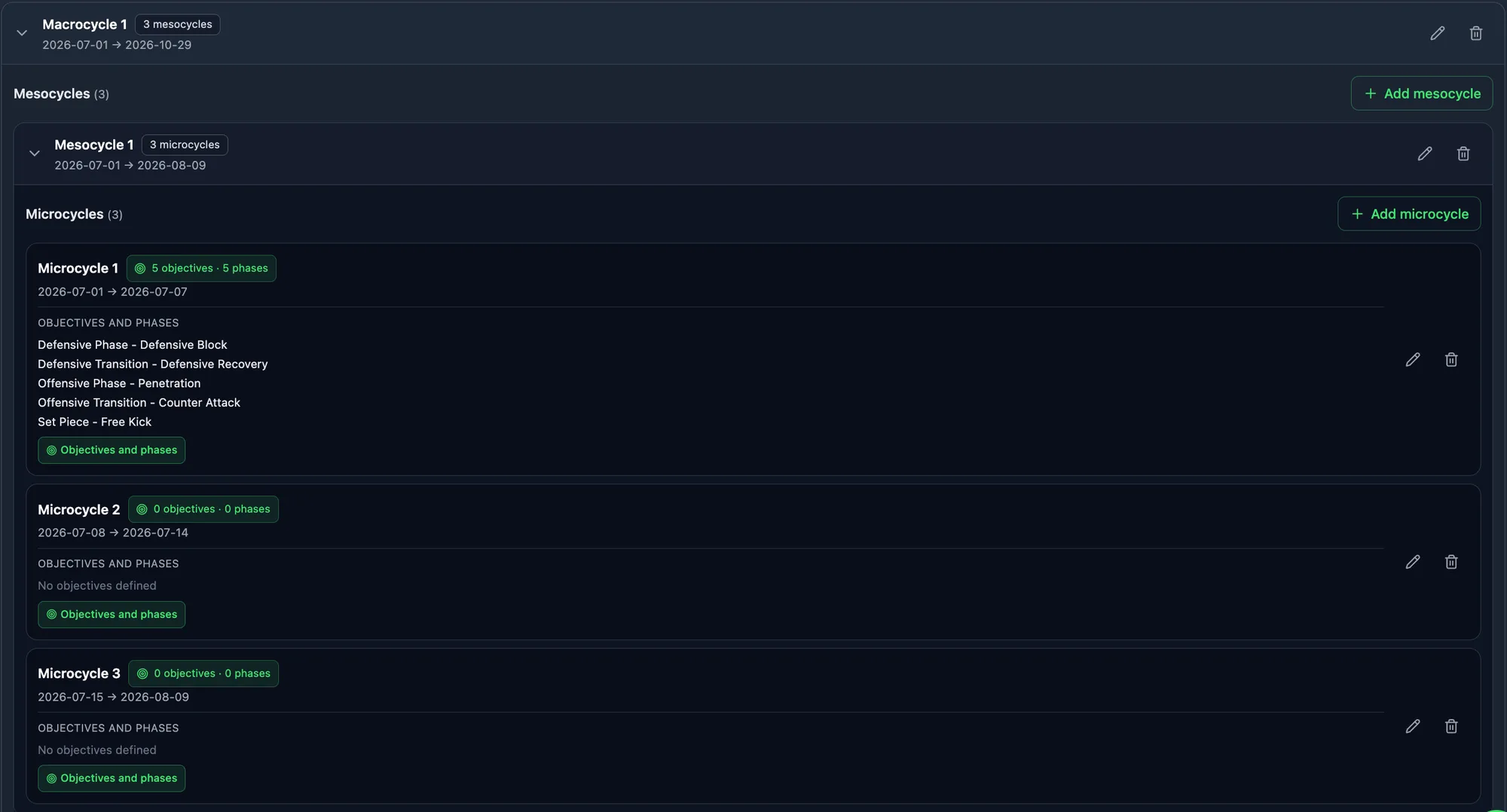
The match plan is built on top of your squad selection and brings together the opponent analysis — system, likely starting XI, key players, behaviour by phase and how they take set pieces — with your instructions by phase and by line, with the starters already placed on the board. Export it as a PDF for the team talk.
The opponent analysis is saved with that opponent: for the return fixture, or next season, you pick it up again instead of starting from scratch.
Set plays are designed and animated on the tactical board. Show them full screen in the dressing room with presentation mode or send them as an MP4 video before training. Match plans are included in Coach Pro and Club.
The match squad comes from the team roster and is laid out on the pitch in the system you plan to use. Mark who is selected, who starts and their shirt numbers, record the reason for every player left out, and NeoTactIQ warns you when someone is placed outside their usual position.
When the match belongs to a configured competition, squad and starting limits are checked automatically. If you are short of players, you can call up a player from another club team for that match only, without moving them from their roster.
With Coach Pro and Club you can also create a squad or line-up graphic for social media, in post or story format.
During the game, you can focus on coaching while another member of staff logs from a phone or tablet: goals and their origin (open play, set piece, transition or error), assists, shots, duels, fouls, cards, corners, saves and substitutions with their reason, with a match clock and stoppage time.
With no extra work, that record builds the exact-minute timeline, the team statistics and each player’s numbers: minutes, goals, assists and cards.
Sunday does not create another file to archive. It creates information that is still useful on Monday.
In grassroots football, the coach often handles more tasks with less time available. You do not need to roll out the whole of NeoTactIQ at once.
You can import the squad from Excel and use that base to start working with the team. With a correctly prepared spreadsheet, the initial import takes around five minutes.
And if you only want to start with a tool you already understand, use the tactical board. It is free forever and requires no credit card: draw, animate the play in up to five scenes and export it as an image or a video. The Free plan also lets you save up to 3 drills and 3 set plays.
When you want to save without limits, share with your club or connect that work with planning, matches and statistics, the rest of NeoTactIQ is already in the same platform.
A strong drill, a methodological structure or the context of a season should not exist only inside your personal folders.
When you work in NeoTactIQ, content and activity stay connected to the team and the season. Your work can therefore become part of the club's accumulated knowledge instead of disappearing when one person leaves.
That also matters to you: what you build remains organised, traceable and visible inside the sporting context where it was created.
Every action you record feeds the next — and the knowledge stays inside the club.
Start with the free tactical board. It is a specific tool close to a coach's daily work and does not require you to change your whole workflow on day one.
Import it instead of entering every player again manually.
The tactical board is free forever. Coach, Coach Pro and Club have published prices, with what each plan includes.
Use the tactical board with no time limit, animate each drill or set play in up to five scenes, export it as an image or a video and save up to 3 drills and 3 set plays. No credit card needed.
Match and individual reports, match plans, scouting, social media graphics for squads and line-ups, videos, NeoTactIQ Resources and job offers. The Coach plan already includes roster, methodology, training, live matches, drills, sessions, set plays and statistics.
Yes. Live mode works on touch screens, with a match clock, scoreboard and an event log designed to be used during the game. You need a squad selection in place before you start it.
Yes. The tactical board has a full-screen presentation mode for a TV or projector, and animations can be downloaded as MP4 videos to share.
You do not need to transform the whole week on day one. Open the tactical board, prepare your next drill and, when it makes sense, connect that work with sessions, training, matches and reports.
No credit card · Free tactical board forever