
Do I have to record the match while I am coaching?
Not necessarily. Another member of the coaching staff can handle the recording while the coach concentrates on the game.
Prepare the squad on a graphic pitch, record the match as it happens with a clock and events, and keep a timeline you can review on Monday with your staff. Team and player statistics come from what you record, without copying anything into a spreadsheet.
Included in the Coach, Coach Pro and Club plans
The squad is prepared in a graphic editor with 13 formations (4-3-3, 4-4-2, 4-2-3-1, 5-3-2, 3-5-2…). You mark selected players, starters and shirt numbers, and NeoTactIQ warns you when a player is placed out of position.
When the match belongs to a competition, its rules are inherited automatically: the counters tell you whether you are at 18/18 selected and 11/11 starters. For players left out, you record the reason for non-selection, which helps you manage the dressing room and explain decisions.
If you are short of players, you can call up a player from another club team for that match only: they join as a substitute tagged with their own team and stay on their original roster.
Once the squad is ready, NeoTactIQ generates the squad graphic or the line-up on the pitch, as a post (1080×1350) or a story (1080×1920), with crests, date, time, shirt numbers, substitutes and the coach’s name.
Social media graphics are included in Coach Pro and Club.
The match plan starts from that squad to place your starters in each phase and in set pieces: opponent analysis, instructions by phase and by line, match keys and a PDF for the team talk.
Match plans are included in Coach Pro and Club.
The live screen brings together the clock, score, line-up and substitutes. To start it, the squad selection must be done.
Each event is logged with its minute, including stoppage time: goals with their origin (open play, set piece, transition or error), assists, shots, duels, fouls committed and received, cards (yellow, second yellow and red), corners, saves, goals conceded and substitutions with their reason.
The point is not to turn the bench into a data desk. While the coach manages the game, another member of the staff can handle the recording, from a tablet or a phone.
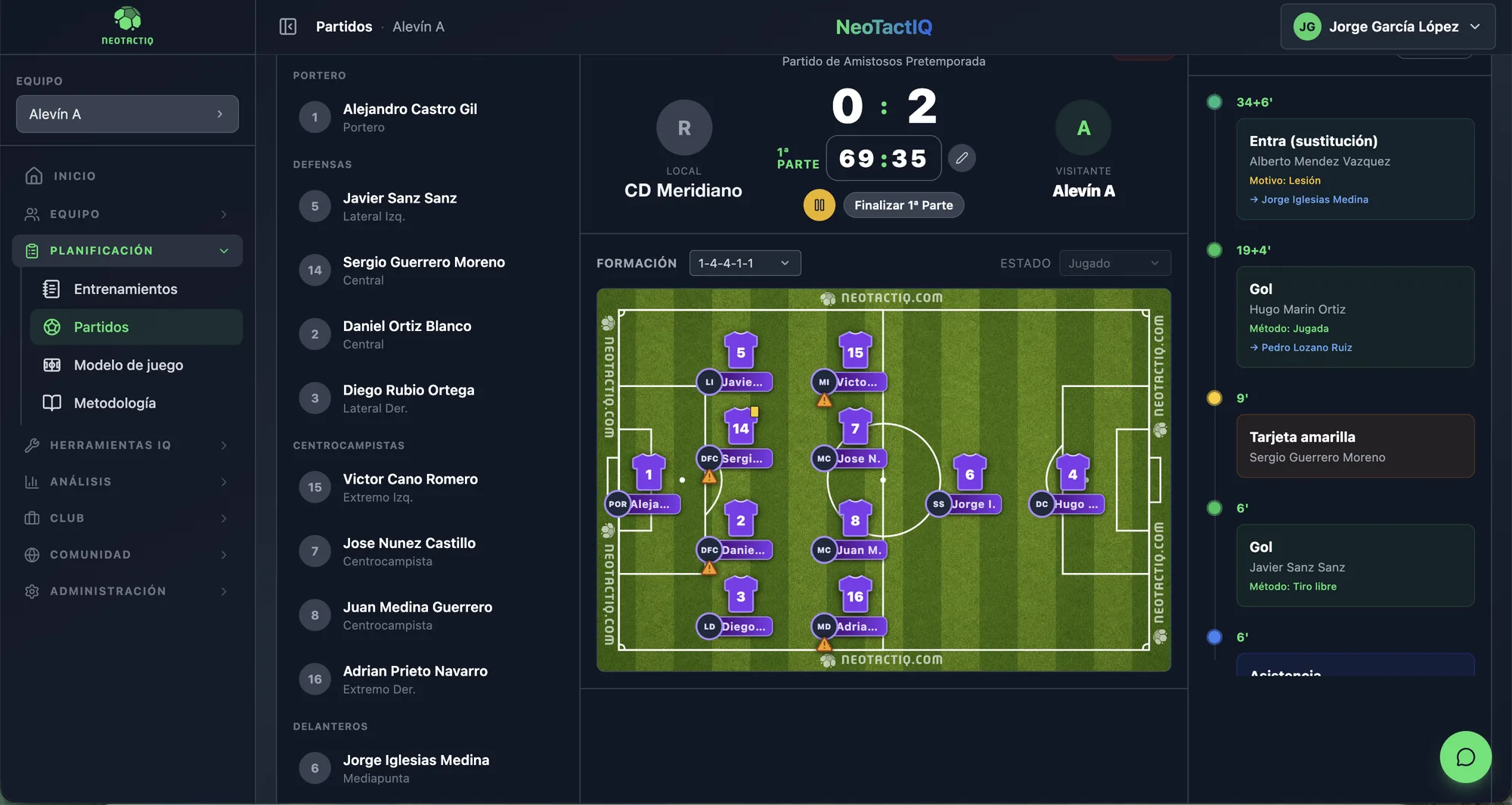
Every recorded action is automatically added to the match timeline with its exact minute. On Monday, you no longer need to rebuild the game from a notebook or from what each member of staff remembers.
The sequence keeps the context: a substitution keeps its reason and a goal keeps its origin. What matters is continuity: the event happens, it is recorded and it becomes part of an ordered sequence the coaching staff can revisit.
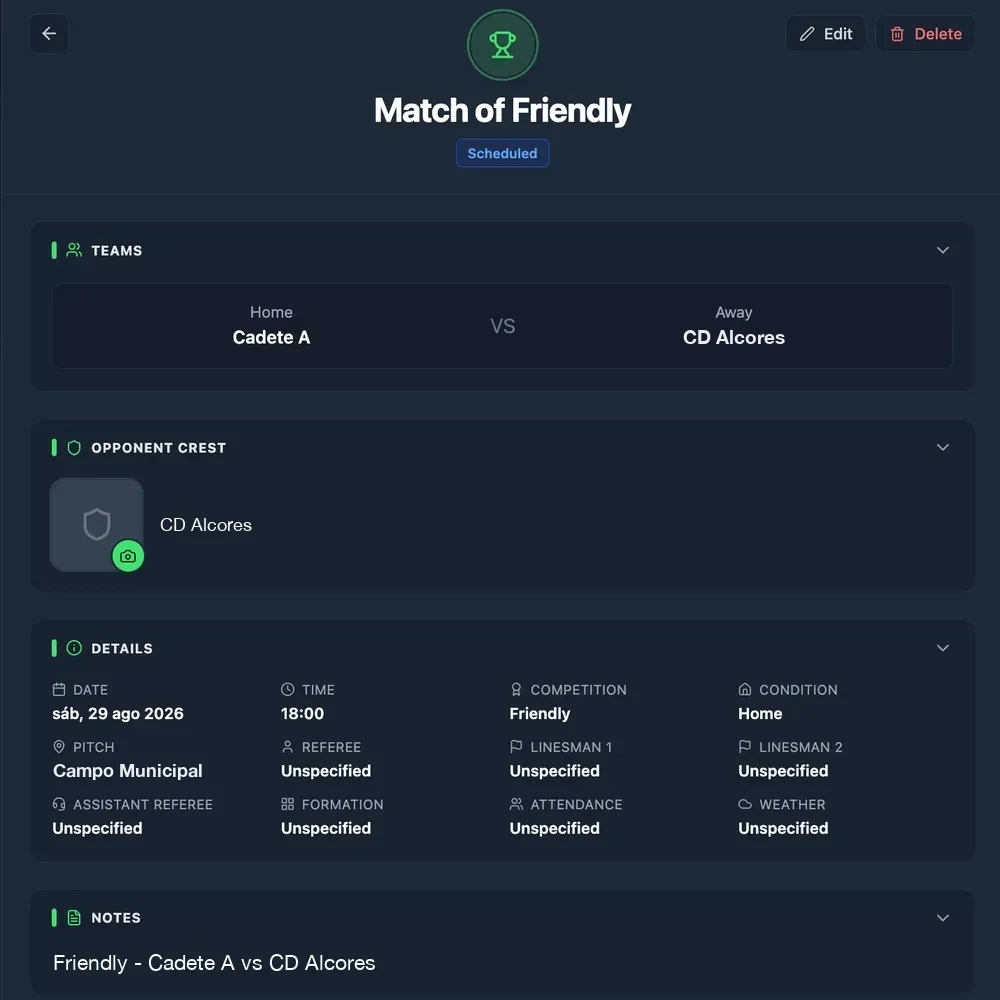
Besides the score, every match keeps date, time, competition and round, home or away, playing surface, referee and assistants, formation, attendance, weather and notes. The opponent’s crest is uploaded once and appears in every match against them.
The match status makes it clear where each game stands, including when it is postponed.
When the match ends, team and player statistics (minutes, goals, assists, cards) are calculated from what you recorded. What you logged while competing returns as consultable information without being copied into a spreadsheet.
With Coach Pro or Club, the live tracking also creates the draft match report: the statistics are already there and you complete the rating by game moment, goals by time period and origin, and the conclusions for the following week.
Not necessarily. Another member of the coaching staff can handle the recording while the coach concentrates on the game.
Goals with their origin (open play, set piece, transition or error), assists, shots, duels, fouls committed and received, cards, corners, saves, goals conceded and substitutions with their reason, with the minute and stoppage time. The timeline builds itself as you record.
Yes, for that match only. They join as a substitute tagged with their own team and stay on their original roster.
Yes. When the game belongs to a competition configured in NeoTactIQ, its rules (maximum selected players and starters, periods and minutes) are inherited automatically.
They feed team and player statistics. With Coach Pro or Club, they also create the draft match report.
The value of recording the match is not in looking at a screen for ninety minutes. It is in returning on Monday to an objective sequence of what happened and using the same data in your statistics and report.
Included in the Coach, Coach Pro and Club plans