
What types of activity appear in the calendar?
Matches, training, holidays and birthdays. On the Club plan, also the planned sessions from the club timetable and medical appointments.
Matches, training, holidays, medical appointments and birthdays share the same calendar. Switch between month, week and day, filter by team or event type, create a training session or match from the schedule itself and open each activity whenever you need its context.
Included from the Coach plan · Free tactical board forever
One training event sits in Google Calendar. The match time is confirmed in a chat. A date change ends up in a spreadsheet. Each tool solves one part, but rebuilding the full schedule means jumping between them.
NeoTactIQ brings team activity into one view and connects it with the rest of the work: every event is a real training session, match or appointment in the app, not a loose note you have to maintain somewhere else.
One schedule: matches, training, holidays and appointments in the same view, with direct access to each record.
The Month view shows at a glance how activity is spread across a wider period: heavier competitive weeks, training days and holidays. The Week view brings the next few days into focus and the Day view lets you concentrate on one specific date.
The Today button returns the calendar to the current date, and events are colour-coded by type. You can show or hide each type and choose which teams you see.
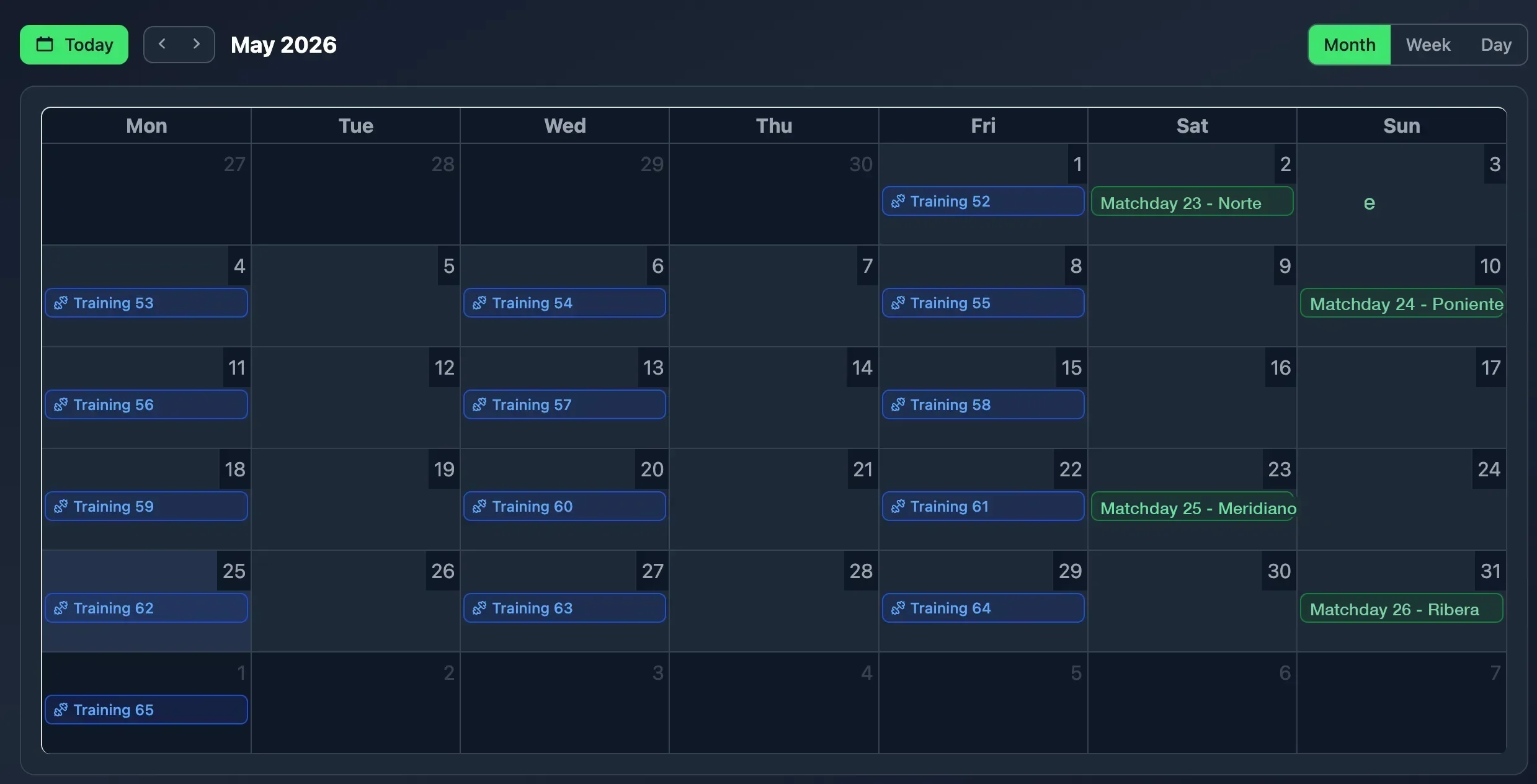
From the calendar itself you create a training session or a match, choosing the team first, with the date already filled in. On the Club plan you can also book a medical appointment with physiotherapy, a doctor, a nutritionist or a sports psychologist.
Every event opens a quick card with its type, team, time, competition and round or venue, and from there you open, edit or delete it. That keeps two questions connected that often end up separated: when does something happen and what information belongs to it.
On the Club plan, the weekly training timetable the club publishes appears in the calendar as planned sessions: the slots each team has booked on its pitch.
A planned slot becomes a real training session in one click, with the date, time and facility already filled in. Holidays and closures defined by the club also appear in the schedule, so nobody plans a session on a day without a pitch.
From the calendar, the club admin generates an image with every club match on a given date: time, team, opponent, home or away and pitch. It comes in post (1080×1350) or story (1080×1920) format, ready to download or share.
It is the quick way to publish the weekend's fixtures without designing anything by hand. Social media images are part of Coach Pro and Club.
When you coordinate several age groups, many questions do not require another meeting or a document prepared specifically for you.
The club admin sees the activity of **every team** in the calendar and can filter by team and by event type. A coordinator with access to several teams sees theirs in the same schedule. For example, you can review a team's last six weeks and check how many friendlies were played and how they sat alongside training.
Matches, training, holidays and birthdays. On the Club plan, also the planned sessions from the club timetable and medical appointments.
Yes. The club admin sees the activity of every team and can filter by team. Each coach or coordinator sees the teams they have access to.
Yes. Choose the team and create the training session or match with the date already set. Every event then opens its full record.
They are the slots in the weekly timetable the club publishes (Club plan). They appear in the calendar and become a training session in one click, with date, time and facility already filled in.
Review the week, scan the month, create the next training session or open an activity directly. The calendar brings time and team context together inside the same workflow.
Included from the Coach plan · Free tactical board forever